eGazety.pl - prasa bez granic

Find Your favourite title among 350 eNewspapers

Support

+48 22 379 16 88
pn-pt: 8:00 - 16:00

Your Cart


item count: 0
total 0.00 PLN

view cart checkout

Choose a payment method
Confirm your order
Pobierz program

Contact Us

Address

eGazety Sp. z o.o.
ul. Zawojska 42 lok. B
02-927 Warszawa

SR dla m. st. Warszawy, XIII Wydział Gospodarczy Rejestrowy
KRS: 0000142872, NIP: 521-11-95-612,
stock: 550 000 PLN

Customer Support

Customer support is available from monday to friday between 8am and 4pm.


Retail customers:
phone no. +48 22 379 16 88

Organizational customers:
phone no. +48 22 379 16 89

fax +48 22 212 87 80

e-mail: egazety@*usun.to*egazety.pl

Purchasing digital press

It takes only a minute!

Find a title you are interested in. You can use the search bar located at the top. Choose how many copies you want and add them to your shopping cart.

You will be presented with contents of your cart from where you can either pay for your order or continue browsing.

To complete your puchase you will need to be logged in. If you are a new user you will be asked to sign up. After the sign up process is complete you will be transferred to the payment area where you can choose from a variety of payment methods ranging from debt card payments to simple bank transfers.

Immediately after registering your payment the order will be enabled for use.

Reading digital press

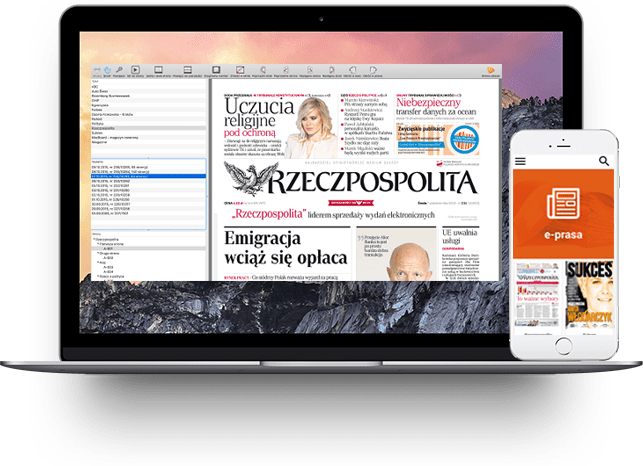
To read your digital press you have to download our free reader (link below).

eGazety Reader allows you to download your purchases, manage an archive, search for text phrases inside those magazines and much more.

http://www.egazety.pl/pobierz_program.html

Placing another order

Log in, or if you cannot remember your password, use the following page to reset your password: http://www.egazety.pl/przypomnij_haslo.html

Then just find a magazine you are interested in (you can use the search bar at the top of this page), select desired number of copies and add them to your cart. Proceed with payment.

Immediately after registering your payment the order will be enabled for usage.

How to speed up purchasing process

If you want your purchase to be activated immediately after paying please choose the direct payment method (ePrzelew).

If you have chosen a standard bank transfer and you want to speed up the process please send us the bank receit by either e-mail or fax.

Digital press on your iPad

You can read all digital editions purchased from our site on your iPad, iPhone and iPod Touch.

It is quite easy. Just look here.

Just order any magazine. Download and install our free application from the App Store. Our application will download your orders and

... you can read them anytime, anywhere on- and off-line

More info can be obtained on the FAQ page.